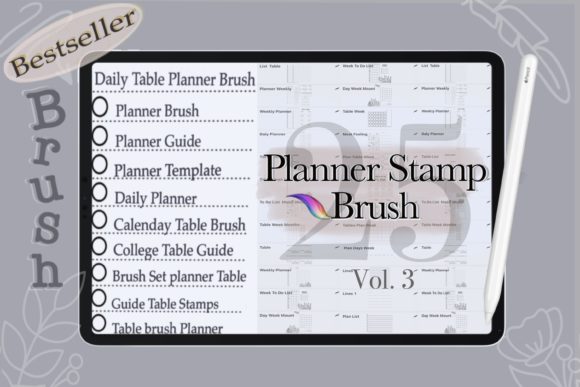
25 Planner Brush Stamps for Procreate
Digital planning has evolved from a niche hobby into a robust ecosystem for productivity enthusiasts, designers, and creative professionals. At the heart of this movement is the desire to replicate the tactile satisfaction of paper planning while leveraging the flexibility of digital tools. The 25 Planner Brush Stamps for Procreate set serves as a bridge between these two worlds, offering a curated collection of hand-drawn elements designed specifically for the iPad environment. Unlike standard typography or rigid geometric shapes, these brush stamps introduce an organic, human touch to digital layouts, allowing users to break away from the sterile perfection often associated with digital design.
This collection is not merely a set of clipart; it is a functional toolset for enhancing visual communication. Whether you are designing a weekly spread, crafting a digital invitation, or creating social media graphics, these stamps provide immediate texture and personality. The transparent backgrounds inherent in each stamp ensure seamless integration into any project, allowing your underlying colors, patterns, and textures to show through without awkward white boxes or jagged edges. This level of versatility makes them an invaluable addition to any digital creator’s library.
The Aesthetic Appeal of Hand-Drawn Digital Elements
The visual characteristics of the 25 Planner Brush Stamps for Procreate are defined by their imperfection. In an era where modern typography often leans toward minimalism and clean lines, there is a growing appreciation for the warmth of handwritten and hand-drawn elements. These stamps mimic the natural variation of ink on paper, featuring slight irregularities in line weight and shape that convey authenticity. This aesthetic is crucial for establishing a connection with your audience, as it feels personal and approachable rather than corporate and distant.
When incorporated into editorial design or personal planners, these elements act as visual anchors. They guide the eye across the page, breaking up blocks of text and adding rhythm to the layout. The style is versatile enough to complement both serif font pairings for a classic look and sans serif font combinations for a contemporary feel. Because they are created with the Apple Pencil in mind, the strokes retain the pressure sensitivity and fluidity of traditional drawing, making them indistinguishable from analog counterparts when viewed on screen or in print.
For brand strategists and marketers, understanding the psychological impact of these visuals is key. A handwritten font or hand-drawn stamp suggests creativity, flexibility, and attention to detail. When used in brand identity materials, such as digital newsletters or client proposals, these elements can soften the overall tone, making the brand appear more accessible and human-centric. This is particularly effective for small business owners, coaches, and creatives who rely on personal connection to drive engagement.
Practical Applications Across Creative Projects
The utility of this brush set extends far beyond simple journaling. For entrepreneurs and content creators, the 25 Planner Brush Stamps for Procreate offer a quick way to elevate standard templates. Consider the process of creating social media graphics. Instead of relying on generic stock icons, you can use these stamps to highlight key points, frame quotes, or add decorative borders that align with your brand’s color palette. The ability to customize colors means these assets can be adapted to match any seasonal campaign or product launch instantly.
In the realm of packaging design and digital mockups, these stamps can simulate hand-stamped labels or artisanal touches. While they are not vector-based like traditional logo design elements, their high-resolution raster format ensures clarity on retina displays and in printed materials. This makes them suitable for creating digital stickers, printable planner inserts, and even greeting cards. The transparent background feature is particularly useful here, allowing designers to layer these stamps over textured papers or photographic backgrounds without losing visual coherence.
For educators and publishers, these tools can enhance worksheet designs and educational materials. Adding a hand-drawn checkmark, arrow, or border can make learning materials feel less intimidating and more engaging for students. The key is consistency; by using the same set of stamps across a series of documents, you create a cohesive visual language that reinforces recognition and professionalism. This consistency is a hallmark of strong design assets management, ensuring that every piece of content feels part of a unified whole.
Technical Compatibility and Workflow Integration
It is essential to understand the technical constraints and requirements of this product to maximize its value. The 25 Planner Brush Stamps for Procreate are designed exclusively for the Procreate app on iPad. They are not compatible with Photoshop, Illustrator, or other desktop-based design software. This specificity is a strength, as it ensures optimal performance within the Procreate environment, but it requires users to verify their setup before purchase. You will need an iPad, an Apple Pencil, and the Procreate application to utilize these brushes effectively.
The delivery method is an instant digital download, provided as a single ZIP file. This format is standard for premium font and brush collections, but it requires an additional step for installation. Users must have a program capable of unzipping files, either on their computer or directly on their iPad. Once extracted, the installation process is straightforward, supported by the included instruction file and ReadMe document. This ease of access allows creators to start integrating these tools into their workflow almost immediately after purchase.
From a workflow perspective, these stamps save significant time. Instead of drawing each element from scratch, users can simply tap to place a pre-designed stamp, then resize, rotate, or recolor it to fit their needs. This efficiency is crucial for professionals managing tight deadlines. Furthermore, because these are digital items, there is no physical shipping involved, reducing environmental impact and allowing for immediate project commencement. However, users should always back up their downloaded files to prevent data loss, as digital downloads are typically non-refundable once accessed.
Strategic Tips for Maximizing Visual Impact
To get the most out of your 25 Planner Brush Stamps for Procreate, consider how they interact with other design elements. Font pairing is critical; since these stamps have a hand-drawn quality, they pair beautifully with clean, modern typefaces that provide contrast. Avoid pairing them with overly decorative or chaotic fonts, as this can create visual clutter. Instead, let the stamps serve as accent pieces that support the primary message conveyed by your text.
Experiment with opacity and blending modes within Procreate. Lowering the opacity of a stamp can create a subtle watermark effect, ideal for background textures in web design or digital invitations. Using multiply or overlay blending modes can help the stamps integrate more naturally with colored backgrounds, mimicking the way ink interacts with different paper types. This level of customization allows for a unique look that sets your work apart from generic templates.
Finally, consider the context of your audience. If you are designing for a corporate client, use these stamps sparingly to maintain professionalism. For personal brands or creative projects, feel free to be more expressive. The goal is to enhance readability and visual hierarchy, not to distract from the content. By thoughtfully integrating these creative font alternatives and hand-drawn elements, you can create designs that are not only visually appealing but also functionally effective in communicating your message.