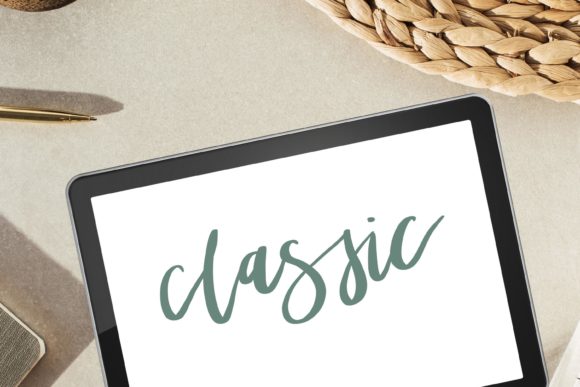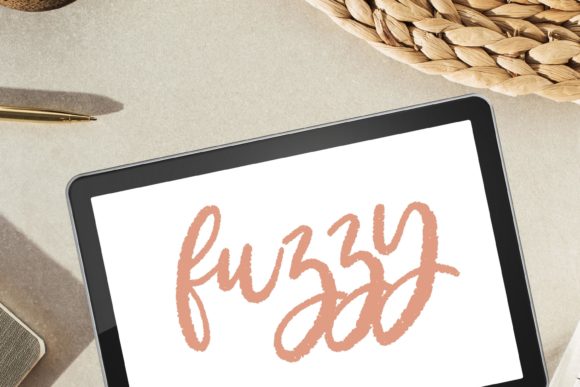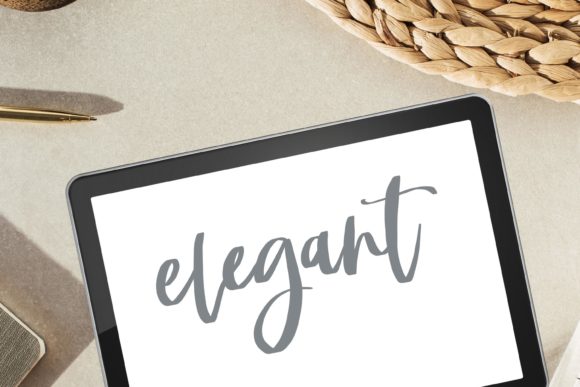
Mastering Textured Digital Art: A Guide to the Stipple Procreate Lettering Brush
In the rapidly evolving world of digital illustration, the gap between traditional media and tablet-based art continues to narrow. For artists, designers, and hobbyists alike, the quest for authenticity in digital work often leads to a specific challenge: how to replicate the organic imperfections of ink on paper without losing the convenience of digital editing. This is where specialized tools like the Stipple Procreate Lettering Brush come into play. Designed specifically for hand lettering, calligraphy, and painting, this brush offers a unique solution for creators seeking that elusive "human touch" in their digital compositions.
Understanding the value of a tool like the Stipple brush requires looking beyond simple functionality. It is about embracing a workflow that blends modern technology with classic artistic principles. Whether you are a beginner just opening the Procreate app for the first time or an experienced illustrator looking to refine your texture game, understanding how stipple textures work can significantly elevate your creative output.
What Is Stippling and Why Does It Matter?
Stippling is a traditional drawing technique that uses numerous small dots or short strokes to create shading, texture, and form. In traditional pen-and-ink illustrations, artists would spend hours carefully placing dots to build up density and gradient. The result is a distinctive, granular look that feels tactile and rich. When translated into the digital realm, however, standard brushes often feel too clean, too uniform, or overly perfect.
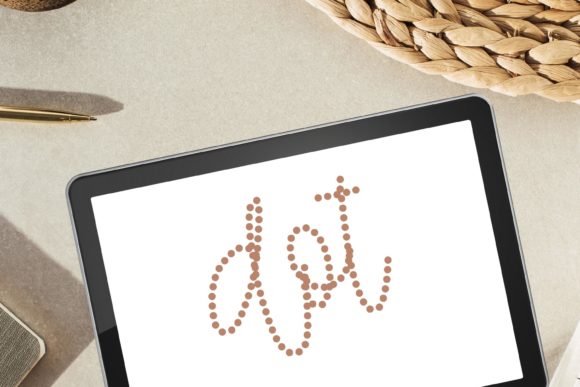
The Stipple Procreate Brush for Hand Lettering and Painting bridges this gap. By incorporating a dotted broken line texture, it mimics the natural bleed, grit, and irregularity of ink interacting with textured paper. This is not just an aesthetic choice; it serves a functional purpose in visual communication. Textured lettering grabs attention because it feels approachable and handmade, contrasting sharply with the sterile precision of vector fonts or standard digital lines.
For modern creatives, this means the ability to produce work that resonates emotionally with viewers. In marketing, social media content, and personal art projects, the "grunge" or "fuzzy" aesthetic suggests authenticity. It implies that a human being created the work, not a machine. This psychological connection is why textured brushes have become indispensable in the toolkit of contemporary digital artists.
The Mechanics of the Stipple Effect
To truly appreciate the Procreate Calligraphy Brush with Dotted Broken Line Texture, one must understand how it behaves differently from a standard round brush. A typical digital brush lays down a solid, continuous line. In contrast, a stipple brush breaks that line into a series of points or fragmented strokes. This creates several visual effects simultaneously:
- Grit and Grunge: The broken lines introduce a roughness that simulates the tooth of watercolor paper or the absorbency of newsprint.
- Bleed and Blotchy Edges: The edges of the strokes are not sharp; they are soft and slightly irregular, mimicking how ink spreads slightly when it hits fiber.
- Depth through Density: By layering these dotted strokes, artists can create shadows and depth without changing colors, relying instead on the accumulation of texture.
This complexity allows for a smooth texture that still retains character. It avoids the muddy look that can sometimes occur when artists try to manually add noise to clean lines. Instead, the texture is built into the brush engine itself, ensuring consistency and ease of use.
Practical Applications in Modern Creativity
The versatility of the Stipple brush extends far beyond simple handwriting. Its application spans various disciplines within digital art and design. Here is how different creators can leverage this tool:
- Modern Calligraphy and Lettering: For those practicing modern calligraphy, the stipple effect adds a vintage or rustic charm to quotes and logos. It transforms standard script into something that looks like it was stamped or printed using old-fashioned methods.
- Digital Illustration: Illustrators can use the brush for shading characters or environments. The fuzzy and blurry nature of the stipple texture is excellent for creating soft shadows, fur, or atmospheric perspective without heavy blending.
- Texture Overlay and Painting: When used as a painting brush, it can add interest to flat colors. A sky, a wall, or a piece of clothing can gain immediate realism when touched with a stippled overlay.
- Brand Identity and Social Media: Businesses looking for a friendly, artisanal vibe can use stippled lettering in their graphics. It stands out in feeds dominated by sleek, corporate minimalism.
Consider a wedding invitation designer. Using a standard smooth brush might result in elegant but cold typography. Switching to the Stipple Procreate Lettering Brush introduces a warmth and tangibility that aligns perfectly with the romantic, handcrafted nature of wedding stationery. Similarly, a podcast cover art designer might use the grunge aspects of the brush to convey a raw, unfiltered tone for a true-crime or comedy show.
Common Misunderstandings About Digital Textures
One common assumption among beginners is that adding texture is a post-production step—something you do after the drawing is finished. While this is possible, it is often inefficient and less natural. Using a dedicated brush like the Stipple brush integrates the texture into the creative process. This allows the artist to "feel" the texture as they draw, adjusting pressure and speed to control the density of the dots.
Another misconception is that textured brushes are difficult to control. On the contrary, high-quality brushes like the Stipple Procreate Brush are engineered to respond intuitively to the Apple Pencil. The variation in dot size and spacing is tied to pressure sensitivity, meaning the more you press, the denser the stipple becomes. This provides a level of control that is actually superior to manual stippling with a physical pen.
Getting Started: Technical Requirements and Setup
Before diving into creation, it is crucial to understand the technical framework required to use these digital assets. The Stipple Procreate Lettering Brush is a digital file, meaning there is no physical product shipped to your door. This instant download model offers immediate access to your tools but requires specific hardware and software.
Essential Requirements:
- iPad: The brush is designed exclusively for the iPad ecosystem.
- Procreate App: You must have the Procreate application installed. This brush is not compatible with Photoshop, Illustrator, or other desktop software unless converted, which is not recommended for optimal performance.
- Direct Download: For the best results, you should download and open the files directly on your iPad into Procreate. Transferring via desktop can sometimes corrupt the brush settings or metadata.
If you encounter any issues during installation or usage, remember that support is available. As the creator notes, "Don’t hesitate to contact me if you have problems using this product. I’ll do my best to help." This level of support ensures that even those new to digital brush installation can get started without frustration.
Tips for Maximizing Your Stipple Brush Experience
To get the most out of your Procreate Calligraphy Brush, consider these best practices:
First, experiment with opacity. Lowering the opacity of the brush can create a subtle, misty effect ideal for backgrounds, while full opacity provides bold, impactful lettering. Second, combine the stipple brush with standard smooth brushes. Use the smooth brush for the main structure of your lettering and the stipple brush for shadows and accents. This contrast creates a dynamic visual hierarchy.
Finally, embrace the bleed and blotchy characteristics. Do not try to fight the texture by zooming in too close and trying to make every dot perfect. The beauty of the stipple style lies in its organic randomness. Let the brush do the work, and focus on the flow and composition of your piece.
Conclusion: Elevating Your Digital Artistry
The Stipple Procreate Lettering Brush is more than just a tool; it is a gateway to a more expressive, textured, and authentic style of digital art. By understanding the principles of stippling and leveraging the specific capabilities of this brush, artists can overcome the sterility often associated with digital mediums. Whether you are creating modern lettering, intricate digital illustrations, or textured paintings, this brush provides the grit and grace needed to make your work stand out.
As digital art continues to dominate creative industries, the ability to mimic traditional textures while maintaining digital flexibility is a valuable skill. With the right tools and a willingness to explore, you can transform your iPad into a powerhouse of artistic expression. Remember, the key to mastery is practice. Download the brush, open Procreate, and start experimenting with the dots. Your next masterpiece might just be a few stippled strokes away.