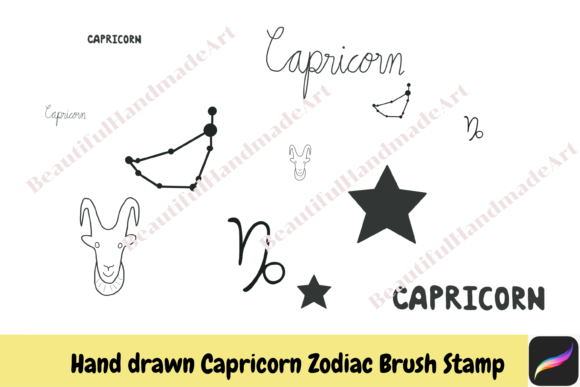
Unlocking Creativity with Procreate Brush Stamps Scorpio Zodiac
Digital illustration has transformed how artists approach design, offering tools that blend traditional artistry with modern efficiency. Among the most versatile resources available today are specialized brush stamps, particularly those themed around astrology. The Procreate Brush Stamps Scorpio Zodiac collection represents a unique intersection of symbolic art and digital utility. For creators looking to infuse their work with celestial energy, understanding how to properly utilize these assets is crucial. Many users dive into digital downloads without fully grasping the technical nuances, leading to frustration or subpar results. This guide aims to clarify the process, helping you avoid common pitfalls while maximizing the potential of hand-drawn Scorpio elements in your iPad workflow.
Understanding the Value of Hand-Drawn Astrological Assets
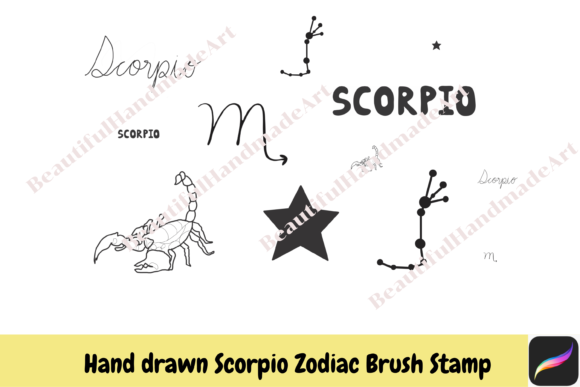
The appeal of hand-drawn digital assets lies in their organic texture and authentic feel. Unlike vector graphics that can appear sterile, hand-drawn stamps retain the subtle imperfections of human creation. When you purchase a set featuring the Scorpio sign, scorpion illustrations, and constellation maps, you are acquiring more than just images; you are gaining a toolkit for rapid prototyping and detailed design. These elements are particularly valuable for creators in the wellness, spirituality, and lifestyle niches, where aesthetic consistency matters.
However, a frequent misunderstanding occurs when buyers assume these stamps are plug-and-play solutions for any project. In reality, their effectiveness depends heavily on how they are integrated into your existing color palettes and composition strategies. Ignoring the hand-drawn nature of these assets can lead to clashes with overly polished, corporate-style designs. To maintain visual harmony, it is essential to treat these stamps as foundational layers that require thoughtful customization rather than final products.
Common Mistakes in Downloading and Installation
One of the most immediate hurdles users face involves the file format. Digital brush sets for Procreate typically come compressed in a ZIP file. A significant number of beginners attempt to import the ZIP file directly into Procreate, only to find that the app does not recognize it. This error stems from a lack of familiarity with file management on iOS devices. Before you can access your Scorpio zodiac brushes, you must unzip the folder using the Files app on your iPad. Failing to do this step renders the download useless until corrected.
Another overlooked detail is the distinction between personal and commercial use licenses. While many packages offer instant download for small commercial use, the definition of "small" can vary. Some creators mistakenly assume they can use these stamps on mass-produced physical goods without verifying the specific terms. This oversight can lead to legal complications or account suspensions on marketplaces. Always read the included license agreement carefully. If you plan to scale your business, ensure your usage rights align with your growth trajectory. Checking these details before purchase saves time and protects your professional reputation.
Navigating Technical Limitations on iPad
Procreate is a powerful tool, but it operates within the constraints of the iPad’s hardware and software environment. A common mistake is expecting brush stamps to behave like editable vector shapes. Once stamped, these images become rasterized pixels. If you resize them significantly after placement, you may notice pixelation or loss of quality. To avoid this, always consider the final output size before applying the stamp. It is better to place the element at or near its intended size and then make minor adjustments.
Additionally, users often neglect the importance of layer management. Applying multiple Scorpio lettering or constellation stamps on a single layer makes editing difficult. If you need to change the color of one specific star without affecting the scorpion illustration beside it, separate layers are mandatory. A best practice is to create a new layer for each stamp application. This approach grants you the flexibility to adjust opacity, blending modes, and hue independently, ensuring a polished final composition.
Maximizing Customization and Color Integration
The true power of these brush stamps lies in their adaptability. Since they are designed for Procreate on iPad, you have full control over their appearance through the app’s robust color palette features. A frequent error among novices is using the stamps in their default black or white state without considering the surrounding design context. This can make the elements look pasted on rather than integrated. Instead, experiment with the color wheel to match the stamps to your project’s mood. For a mystical Scorpio theme, deep purples, midnight blues, and metallic golds often enhance the hand-drawn textures.
Furthermore, do not hesitate to modify the stamps using Procreate’s transformation tools. You can rotate, flip, or distort the scorpion illustrations to fit dynamic compositions. However, be cautious with extreme distortions, as they can degrade the artistic integrity of the hand-drawn lines. A balanced approach involves subtle adjustments that enhance flow without compromising clarity. By treating these stamps as flexible components rather than rigid icons, you unlock a higher level of creative expression.
Evaluating Quality Before Purchase
Before committing to a download, it is wise to evaluate the quality of the brush set. Look for previews that show the stamps at various sizes. High-quality Procreate Brush Stamps Scorpio Zodiac sets will demonstrate crisp edges and consistent line weight. If the preview images appear blurry or pixelated, the actual brushes may not meet professional standards. Additionally, check if the set includes a variety of elements, such as both the zodiac symbol and the constellation map. A diverse range of assets provides greater versatility for different design needs.
Reading user reviews can also provide insight into usability. Pay attention to comments regarding ease of installation and compatibility with different iPad models. If multiple users report issues with unzipping or importing, it may indicate poor documentation or file structure. Choosing a well-supported product ensures a smoother experience and allows you to focus on creativity rather than troubleshooting.
Practical Steps for Seamless Integration
To ensure a smooth workflow, follow these practical steps when incorporating astrological stamps into your projects:
- Prepare Your Workspace: Organize your Procreate canvas with clearly labeled layers before importing brushes.
- Unzip Correctly: Use the iOS Files app to extract the contents of the downloaded ZIP folder.
- Import Individually: Tap each .brushset file to open it in Procreate, ensuring it appears in your brush library.
- Test Colors: Create a test layer to experiment with different color combinations before applying stamps to your main design.
- Save Variations: Keep copies of your original stamps in a separate document for future reuse.
By adhering to these guidelines, you can avoid common frustrations and elevate the quality of your digital art. The Scorpio zodiac constellation and related imagery offer a rich visual language for those willing to explore their potential. With careful attention to detail and a strategic approach to customization, these hand-drawn assets can become indispensable tools in your creative arsenal. Remember, the goal is not just to add elements to your design, but to enhance the narrative and emotional impact of your work through thoughtful integration.